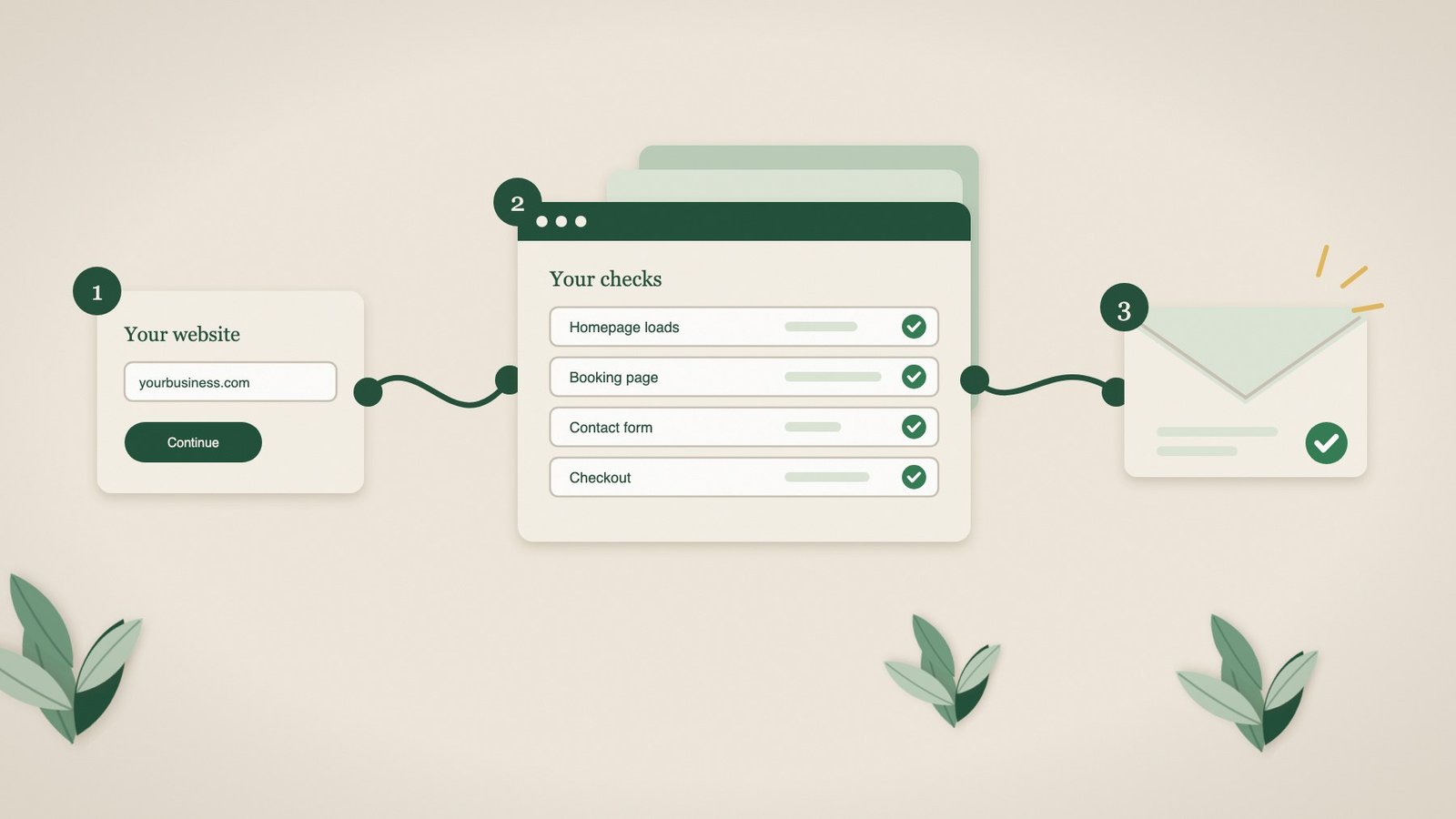
Most small businesses never set up website monitoring, and it is not because they do not care. It is because it sounds technical: scripts, dashboards, alert rules, something a developer has to install. So the booking form, the contact form or the checkout quietly breaks, and the first sign is a quiet week.
We built Pulse so that getting started takes about five minutes and asks nothing technical of you. This article walks through exactly what happens, from the moment you sign up to the first email we send you, and is honest about what Pulse does not do.
The short version
- Nothing to install. No plugin, no code on your website and no access to your website’s admin area. Pulse visits your pages from the outside, like a customer would.
- A guided setup of about five minutes. You add your website, tick the pages that matter and tell us which customer journeys to check. You can leave and come back.
- We set up the journey checks for you. On the Browser plan, our team builds and tests them and adds them to your pages, usually within about 30 minutes.
- Alerts only for real faults. A check has to fail three times in a row before we email you, and we tell you when it is working again.
Step 1: Choose how you want to start
There are two ways in, and both are self-service.
Free monitoring
Enter your email address and one website on the free monitoring page. No card is needed. We send you a link to confirm your email and choose a password, and monitoring starts as soon as you do. The free plan checks your homepage every 12 hours: that it loads, that its SSL certificate is healthy and when its domain is due to expire.
A paid plan
Choose a plan on the pricing page, decide how many websites to cover (up to three) and how often to check them, from every two hours down to every five minutes, then pay securely at checkout. We email you a link to set your password and the guided setup begins.
| Free | Essential | Browser | |
|---|---|---|---|
| Websites | 1 | Up to 3 | Up to 3 |
| Pages per website | Homepage | Up to 20 | Up to 20 |
| How often | Every 12 hours | Every 2 hours to every 5 minutes | Every 2 hours to every 5 minutes |
| Customer journey checks in a real browser | No | No | 5 to 15 per website |
| Screenshots and page snapshots | No | Yes | Yes |
If you look after more than three websites, for example as an agency, there is separate agency pricing.
Step 2: The guided setup
When you first log in, Pulse takes you through seven short steps. Each one asks for a few details at most, and nothing is locked in: you can change any of it later.
- Welcome. Confirm your plan and that you are allowed to monitor the website, because it is yours or you look after it.
- Websites. Give each website a name and its address. You can type it with or without “https://” or “www”. Your homepage check starts straight away, and Pulse starts reading your website in the background.
- You. Your name, your business name if you like, and your time zone, so times are shown in your local time.
- Pages. Pulse suggests up to 12 pages it found on your website, and marks the ones that matter most to customers as recommended, such as the pages people use to book, buy or get in touch. Tick the ones you want, add any it missed, and if you like, add words that should always appear on a page, such as “Book now” or your phone number.
- Journeys (Browser plan). Describe the journeys your customers take in plain English, for example “open the booking page, choose a service and a date, and check that available times appear”. Or choose Let Pulse decide and we will pick the journeys that matter most for your kind of website.
- Alerts. Choose to receive incident and recovery emails. You can also invite people to view the website’s results, such as your web developer or a colleague, and they can switch alerts on for themselves.
- Review. Check everything and press Finish setup and start monitoring.
In a hurry? You can skip the setup and finish it later. Your homepage is already being checked.
What you do not have to do
- Install a plugin, paste code into your website or change anything about how it is built.
- Give us a login to your website’s admin area. Pulse only sees what your customers see.
- Write test scripts or learn any technical language. Plain English is enough.
- Worry about fake bookings or orders. Journey checks stop before anything is submitted, so no real bookings, messages, orders or payments are made.
Step 3: What happens after you finish
Every page you chose gets its first check within a minute or two. After that, checks repeat on the schedule you picked.
On the Browser plan, our team builds and tests your customer journey checks and adds them to the pages you listed. This usually takes about 30 minutes, and we email you when they are live, telling you how many journeys we have set up for each website. If a journey needs a closer look, for example because a booking system behaves unusually, we tell you, and our team reviews it by hand, usually within one working day.
Step 4: Monitoring, day to day
What each check does
Every scheduled check loads each of your pages the way a visitor’s browser would, confirms it opens properly and, if you asked, that the words you care about are still there. On the Browser plan, it also works through each customer journey in a real browser, step by step: opening the booking widget, choosing options, reaching the form or the basket. That is the part a basic “is the website up?” check cannot see.
Your dashboard also keeps an eye on your SSL certificate and domain, and flags either one 30 days before it expires.
When something breaks
Websites have the occasional slow moment, so a single failed check does not trigger an alert. When a check fails, Pulse checks again about two minutes later. Only after three failures in a row do we email you. The email says which website, which check and which page failed, when it was first spotted and what we found, with a link to the full details in Pulse. There you can see the step that failed and a screenshot of what a customer would have seen, which is exactly what your developer needs to fix it quickly.
Once the check passes twice in a row, we send an all-clear email so you know it is working again.
When your website changes
Websites change: a button gets renamed, a page moves, a booking step is redesigned. When a journey check fails only because your website changed, not because something is broken, Pulse updates the check to match your website and emails you to say so.
Reports
If you like, Pulse emails you a weekly or monthly summary with a PDF report, which is handy for keeping a record or sharing with whoever looks after your website.
What Pulse does not do
We would rather you knew this before you start:
- It does not fix your website. Pulse tells you what broke and shows you the evidence. Your developer or agency remains responsible for repairs.
- It checks on a schedule. A fault that appears and disappears between two checks may be missed.
- It does not make real transactions. Journeys stop before anything is submitted. Checks that complete a real order or booking belong to a Transaction tier that is still in development.
- It is not an alarm for server engineers. If you need to know about infrastructure problems within seconds, a dedicated infrastructure monitoring tool is a better fit, and we will happily tell you so.
For agencies
If you look after lots of client websites, setup works a little differently. Paste all your clients’ website addresses, one per line, or upload a spreadsheet of up to 200 at a time. Set your defaults once, and Pulse finds the pages, sets up the checks and starts monitoring in the background. You get a single email when every website is being monitored. See Pulse for agencies for more.
Frequently asked questions
Do I need to install anything on my website?
No. Pulse checks your website from the outside, the same way a customer visits it. There is no plugin, no code to add and no access to your website’s admin area.
How long does setup take?
About five minutes for the guided setup. Your first page checks run within a minute or two of finishing, and on the Browser plan your customer journey checks are usually live within about 30 minutes.
Do I need to be technical?
No. You add your website address, tick the pages that matter and describe your customer journeys in plain English, or let Pulse decide. We build and test the checks for you.
Will Pulse make fake bookings or orders on my website?
No. Journey checks stop before anything is submitted, so no real bookings, messages, orders or payments are made.
Will I get an alert every time my website is slow?
No. A check has to fail three times in a row, about two minutes apart, before we email you, and we send an all-clear when it is working again.
Can my web developer get the alerts too?
Yes. Invite them to view the website in Pulse and they can switch alerts on for themselves, so the person who fixes the fault hears about it at the same time as you.
Try it on your own website
Start with free monitoring for one website, no card needed, or choose a plan and we will set up checks for the journeys your customers rely on.