Free tool / contact form tester
Is your contact form actually reaching your inbox?
A contact form can look completely normal, accept a message, show a thank-you page and still deliver nothing. Here is how to find out whether yours works, and how to be told first if it stops.
Give us the page your contact form is on and we email you a free report. No account, no card, nothing sent through your form.
Free check One page
Check my contact form.
Enter the page your contact form is on. Pulse opens it like a customer would, checks every field and button, and follows any form tool it uses (Typeform, Jotform, HubSpot and the like) without ever sending anything.
We look at that one page and the tools it links to, like a customer would, and never send forms or make bookings. One free check of each kind per website each week. Privacy policy.
[ The silent failure ]
Why broken contact forms go unnoticed for weeks
A contact form is the one part of a small business website that fails without any symptom. There is no error page, no alert and no angry phone call. The website stays online, the form still submits, and the only evidence is an absence: fewer enquiries than usual, which is indistinguishable from a quiet month.
By the time somebody thinks to test it, the form has often been broken for weeks. We have seen a contact form deliver to an email address with a typo in it for over a month. Every message bounced. The business assumed trade had slowed down.
Failure modes What actually goes wrong
The ways it breaks
without telling you.
01
The delivery address is wrong
A single typo in the notification address sends every enquiry to a mailbox that does not exist. The form reports success because the form did succeed; it was the email that failed, silently, afterwards.
02
The messages land in spam
Forms that send mail from your web server rather than an authenticated mailbox routinely fail SPF, DKIM and DMARC checks. The mail is delivered to the spam folder, or discarded outright, and nobody is told. Our contact form notification checker shows whether yours does.
03
A plugin or theme update broke the JavaScript
A conflict after an update can stop the form submitting at all. The button depresses, nothing happens, and most visitors assume they did something wrong and leave.
04
The spam protection became too aggressive
A misconfigured reCAPTCHA or honeypot can reject genuine people, particularly on mobile or with privacy-focused browsers. The form appears to work perfectly when you test it and blocks a third of real visitors.
05
The mailbox is full or the forwarding chain broke
Enquiries forwarded from one address to another quietly stop when a mailbox fills up, a forward is removed, or a domain changes hands. The form works. The route to a human being does not.
06
A required field rejects real answers
Phone fields that refuse international numbers, postcode fields that will not accept a valid format, dropdowns missing the obvious option. The visitor cannot submit, sees no clear reason why, and you never learn they tried.
The test Five minutes, done properly
Check it yourself,
the way a customer would.
01
Open your website in a private window
Use a private or incognito window, ideally on a phone rather than the computer you built the site on. Caching and logged-in sessions hide a surprising number of faults.
02
Complete the form exactly as a stranger would
Fill in every field with plausible information and a real email address you control. Do not skip optional fields: validation errors often only appear on the fields people actually leave blank.
03
Watch what happens after you submit
You are looking for a genuine confirmation: a thank-you page or a clear message. A page that reloads with the form still filled in, or a button that does nothing, means the submission never completed.
04
Check the inbox, and the spam folder
Give it five minutes. If the message is in spam, the form is working but your delivery is not, which will affect real enquiries just as badly.
05
Check the auto-reply, if you have one
If your form promises the customer a confirmation email, test that it arrives too. A missing auto-reply makes a customer assume nothing was sent and go elsewhere.
06
Repeat on every form you have
Contact, quote request, callback and newsletter forms often use different plugins or different destination addresses. Testing one proves nothing about the others.
If it failed
If the test failed, start with the delivery address.
Most contact form failures are not the form. They are the email behind it. Check the notification address for typos, confirm the mailbox still exists and has space, and make sure the form sends through an authenticated mailbox (an SMTP plugin) rather than the web server’s own mail function. If the form itself never submitted, disable recently updated plugins one at a time and test between each.
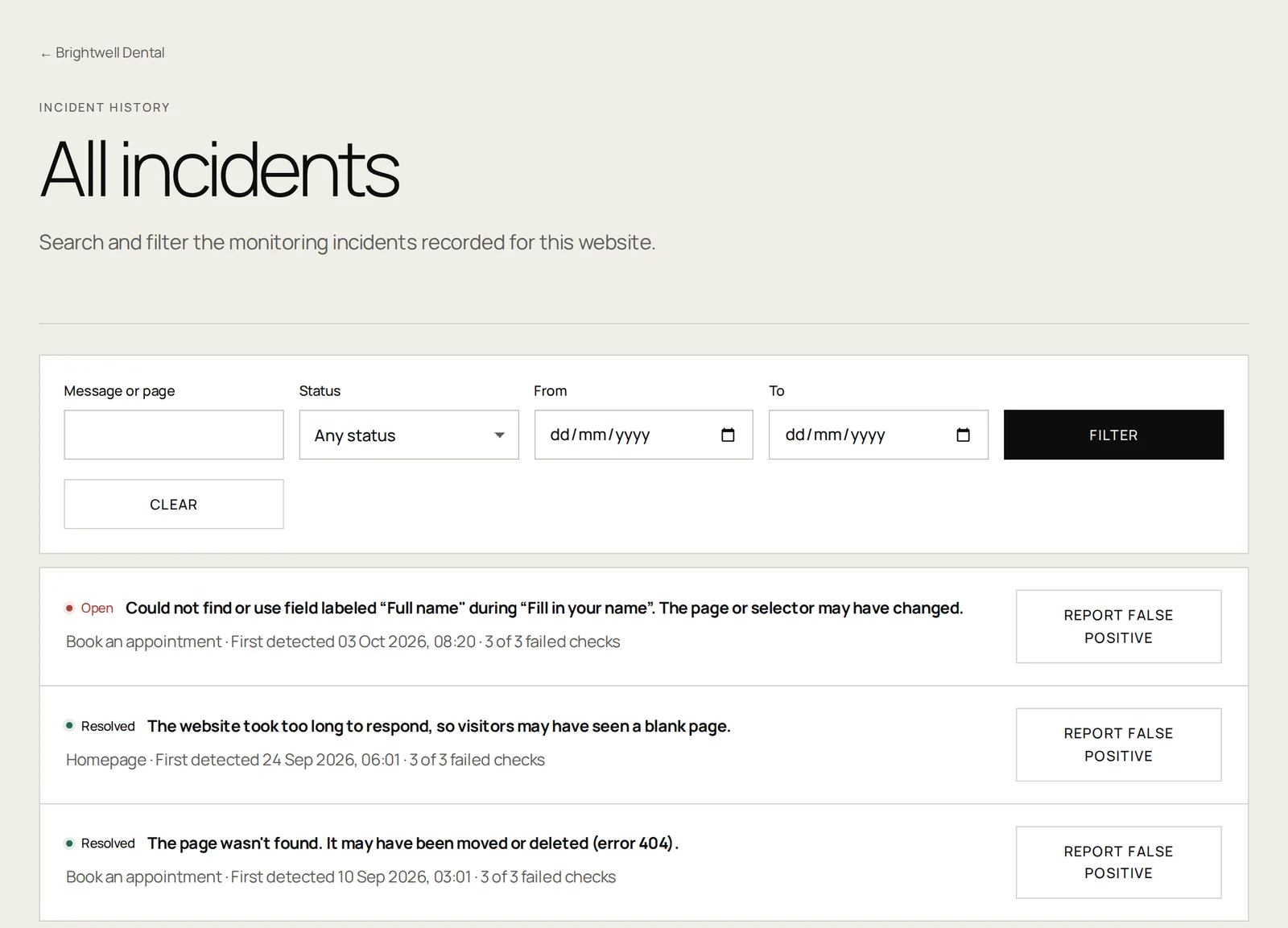
Online versus working
Review check results to see which parts of your website need attention.
Check it automatically No card required
Rather not remember
to check?
Pulse can watch the journey for you on a schedule and tell you the moment it stops working, with a screenshot of what a customer would have seen. Start with one website free.
Give us the page your contact form is on and we email you a free report. No account, no card, nothing sent through your form.
Useful answers Without the jargon
Questions about
contact form tester.
How often should I test my contact form?[+]
Monthly is a reasonable minimum, and always after a plugin update, a theme change, a hosting migration or an email provider change. Those four events cause most of the failures we see.
Why did my form work when I tested it but not for customers?[+]
You are usually testing in a logged-in session, on a familiar device, from a trusted network. Real visitors arrive logged out, on mobile, sometimes with strict privacy settings that block the scripts your form depends on.
Does a thank-you page mean the message was delivered?[+]
No, and this is the single most common misunderstanding. The thank-you page usually only confirms that the browser submitted the form. Whether an email was then generated, accepted and delivered to a real inbox is a separate chain of events with several places to fail. The free contact form notification checker tests that half.
Can Pulse test my contact form automatically?[+]
Pulse checks that your form loads, that its fields and buttons are present, and that a visitor can move through each step: on a schedule, in a real browser, with a screenshot when something fails. It does not currently submit the form, so your inbox stays clean. Controlled test submissions with delivery confirmation are planned for the Transaction tier.
What does it cost to monitor a contact form?[+]
Free monitoring covers availability, SSL and domain health for one website. Browser monitoring, which checks the form journey itself, starts from the Browser plan price on the pricing page.