Free tools / check it yourself
Free tools for the parts
that quietly stop working.
The most expensive website faults are the ones with no symptom: a contact form that delivers nowhere, a booking widget that never loads. These guides help you check yours, in a few minutes, without installing anything.
Tools Start here
Free checks worth
running this week.
Website down checker
Check whether a website is down for everyone or just for you, from outside your network.
Contact form tester
Find out whether your contact form still reaches a human being, and what to check when it does not.
Contact form notification checker
Send your form once and see whether its notification email arrives, how fast, and whether inboxes will trust it.
Booking system tester
Find out whether a customer could complete a booking on your website today, and where the journey breaks.
Why this matters
A website can be perfectly online and completely useless.
Every hosting dashboard and uptime monitor answers one question: did the server respond? That is worth knowing, and it is not the question your business cares about. The question your business cares about is whether a customer can still book, buy or get in touch, and that can fail while every green light stays green.
Running these checks by hand works, as long as somebody remembers. If you would rather not rely on remembering, that is the whole point of Pulse.
Doing it properly Four rules worth keeping
How to test
so the test means something.
01
After any update
Plugin, theme, booking-platform and hosting updates are the single most common cause of a journey breaking. If something was updated this week, check the journey this week.
02
On a phone, logged out
Test the way customers arrive: a private window on a mobile, not the desktop where you are signed in and bypassing your own cache. Most faults only appear from outside.
03
All the way through
Half a test proves half a journey. Go as far as the final step before payment or confirmation, because failures cluster at the end where the money is.
04
Write down what you checked
A dated note of what worked turns a vague worry into a fact. It is also the difference between fixing a fault in an hour and arguing about when it started.
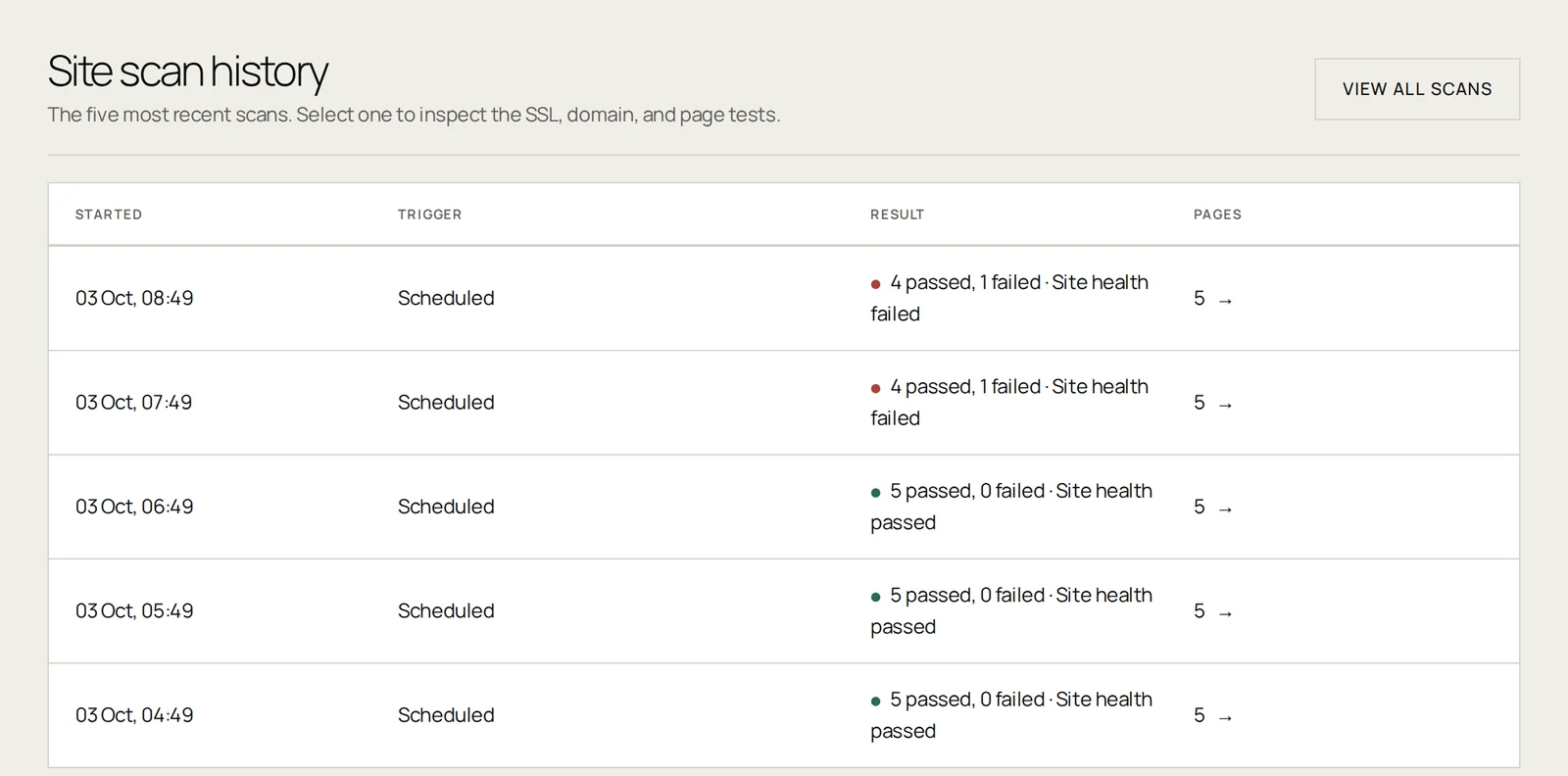
Monitoring results
A calm summary for owners, agencies and the people resolving the fault.
Useful answers Without the jargon
Questions about
these tools.
Are these tools free?[+]
Yes. The guides are free to use and there is nothing to sign up for. Free scheduled monitoring of one website is also free, with no card required.
Do I need to be technical to use them?[+]
No. Every check is something you can do in a browser as an ordinary visitor. If a check fails, each page explains what usually causes it and what to look at first.
How often should I run these checks?[+]
Weekly if your website takes bookings or orders, monthly otherwise, and always after an update to your website, a plugin or your booking provider.
What if I would rather not remember?[+]
That is what Pulse does. It runs the equivalent checks on a schedule and tells you when one fails, with a screenshot of what the customer would have seen.
No card required.